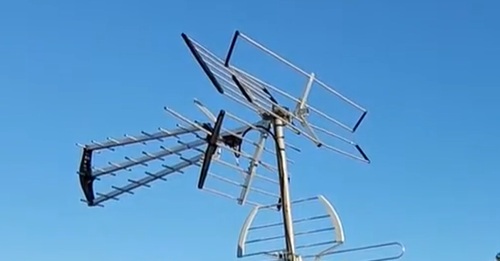
Many people think that combining two TV antennas can boost a TV signal, and while this can work with the right equipment, often the signal is worse.
In most cases you do not need to set up multiple antennas to pick up all local channels.
A single antenna will likely pick them up even if some channels broadcast from different directions in your area.
You may need a second antenna if you live between multiple markets or already tried one antenna pointed in different directions without success.
Why You Can’t Just Use a Splitter Backwards?
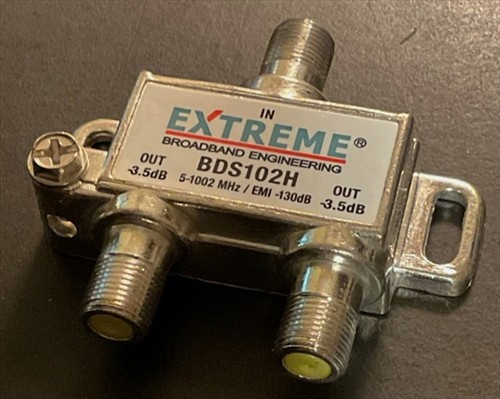
Often people combine two antennas together with a backwards two-way splitter thinking it will boost the signal. That’s not exactly the case.
There are two problems with doing this. The first problem is that there’s about 4 dB of signal loss within a two-way splitter.
The second problem relates to multipath interference from out of sync signals being picked up between antennas combined on the same coax cable. This generally makes channels less reliable.
Low Cost Antenna Combiners
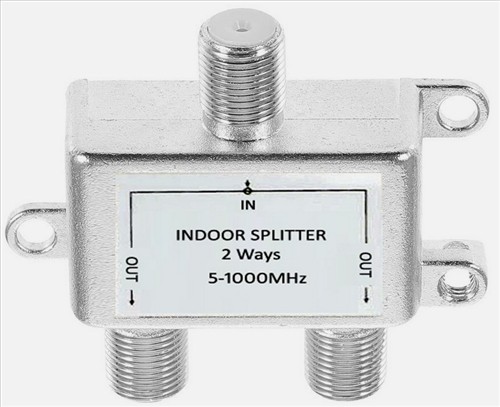
There are many low-cost signal combiners that have never worked well, at least for me.
I have not tested them all, so there may be good options, but in my opinion, it is best to stay away from the many lost options available.
If you are on a budget, there is a better method which I list below.
Beware of cheap combiners that are basically repurposed two-way splitters in a case. They won’t work well in most locations.
True TV Antenna Combiners
Until a few years ago there wasn’t really a way to combine two antennas together on the same coax cable without negatively impacting reception.
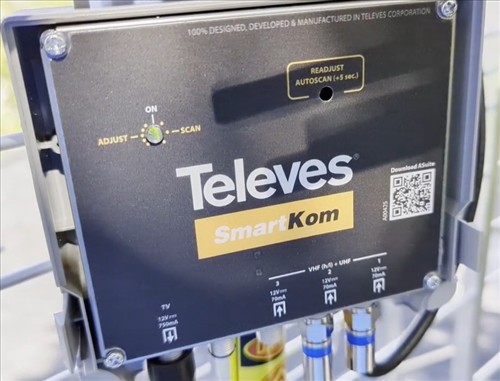
Telsis released their Smartcom antenna combiner. It’s basically a pre-amplifier and antenna combiner in one.
Unlike a splitter, this will take signals from up to three antennas, amplify, filter, and combine them into one single coax output. It does not negatively impact reception when combining multiple antennas together.
It’s the perfect solution for those of you between multiple markets or unable to pick up all local channels with one single antenna pointing in one direction.
Antennas Direct also released the Juice antenna combiner. It’s a slightly cheaper option that appears to work the same as the Telsis Smartcom.
It combines signals from multiple antennas, amplifies and filters them without negatively impacting reception. Keep in mind it does not work with low VHF channels or support manual programming.
*This site contains affiliate links for which a commission earned.
Read Reviews Here on Amazon for the Televes 531983 SmartKom
Televes 531983 SmartKom Intelligent Signal Combiner and Amplifier
Cheaper Options Using Separate Tuners
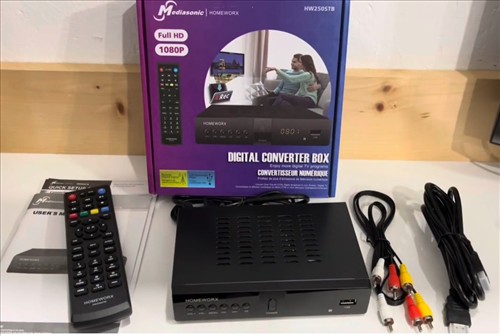
If you don’t want to spend roughly $200 for an antenna combiner, there is a cheaper option. You can wire each antenna separately to separate tuners.
If there’s only one TV you want to access channels from both antennas, connect the first antenna directly to the back of the TV. Connect the second antenna to the Mediasonic Homeworx converter box.
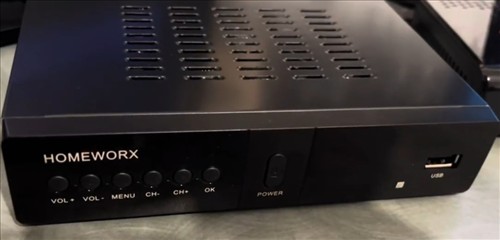
You can access each antenna simply by switching the input. The tuner built into your TV is connected to the first antenna. The tuner built into the Mediasonic DTV box is connected to the second antenna.
If there are multiple TVs you want to access a secondary antenna on, connect one antenna directly to each TV. Connect the other to a wireless tuner like a Tablo or HD HomeRun.
*This site contains affiliate links for which a commission earned.
Read Reviews Here on Amazon for the Mediasonic ATSC Digital Converter Box
Mediasonic ATSC Digital Converter Box with Recording / Media Player
VHF/UHF Combiners
One last option is to combine two separate antennas with a VHF/UHF combiner. This only works in a select few scenarios.
If an antenna you have picks up UHF channels well but struggles with VHF channels, you can add a separate dedicated high VHF antenna. For example, the Stellar Labs Fringe or Deep Fringe model.
You can combine it with your existing antenna on the same coax cable with a VHF/UHF combiner.
This option is great for an attic setup where you might need as much gain as possible from a dedicated high VHF antenna to pick up the VHF channels in your area.
Keep in mind you need to understand virtual and RF channels. Your local channel 7 likely does not broadcast on channel 7.
Summary
A single antenna will likely pick up all your local channels even if they broadcast from different directions. Try one antenna first before setting up a second.
Do not use a backwards two-way splitter to combine antennas. You’ll get about 4 dB of signal loss and multipath interference that makes channels less reliable.
True antenna combiners like the Telsis Smartcom or Antennas Direct Juice amplify, filter, and combine signals from multiple antennas without negatively impacting reception. The Telsis Smartcom works better based on user feedback.
If you don’t want to spend roughly $200 on a combiner, you can wire each antenna to separate tuners. Use the TV’s built-in tuner for one antenna and a converter box or wireless tuner for the other.
A VHF/UHF combiner can work if you need a dedicated high VHF antenna to supplement an existing UHF antenna. This works well in attic setups where you need maximum gain for VHF channels.
Have you had an issue with combining TV antennas? Let us know your fix or problem below.