
UPDATE: FEN Light AM Addon Is No Longer Available in RED Repo
Recently, the FEN Light AM repository shut down. FEN can still be installed using the Red Repo or Old Salts Repo. While the current version is still working, it has been stated that the FEN Light AM addon will not likely get any future updates.
FEN Light AM is a Fork of the original Fen Light addon that is for advanced Kodi users.
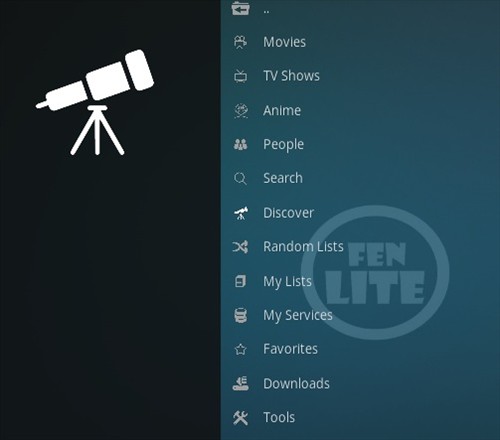
Sections include Movies, TV Shows, Anime, People, Search, Discover, Random List, My List, My Services, Favorites, Downloads, and Tools.
FEN Light AM is setup to use with paid link options Real Debrid and Trakt.
An external scrappers module called Coco scrapers needs to be installed with Fen or it will not pull in any links.
*WirelesSHack.org has No affiliation with Kodi, any Addons, Repos, or Builds. WirelesSHack.org is a news and informational site which does not support or condone copyright infringement. Kodi should only be used with content that is bought and owned personally or is in the public domain.
UPDATE: FEN Light AM Addon Is No Longer Available in RED Repo
FEN Light AM Kodi Addon Location and Info
- Addon Name: FEN Light AM
- Repo 1 Name: Red Repo
- Repository 1 URL: https://repo.redwizard.xyz
- Repo 2 Name: Old Salts
- Repository 2 URL: https://oldmanjax.github.io/
- Coco Scrapers URL: https://cocojoe2411.github.io/
- Kodi Version Compatibility: 20 Nexus and 21 Omega
How to Install FEN Light AM Kodi Addon
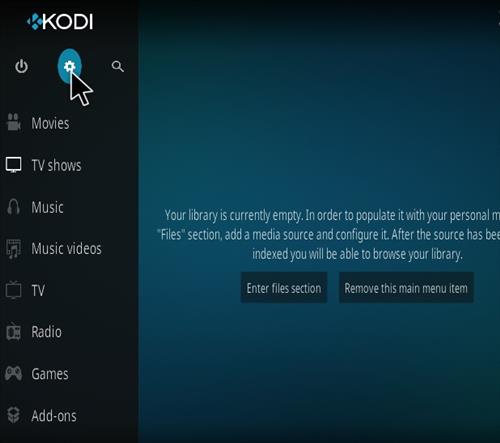
- At the top left click the System Settings (Gear Icon)
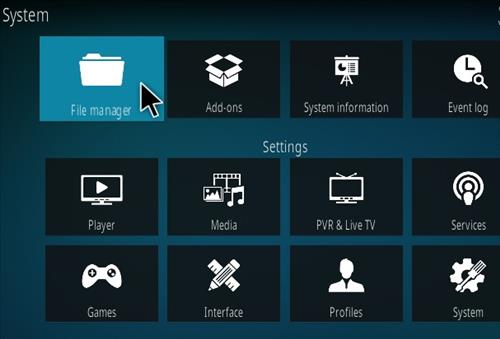
- Click File Manager
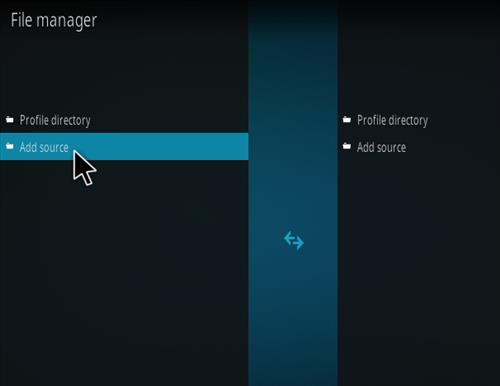
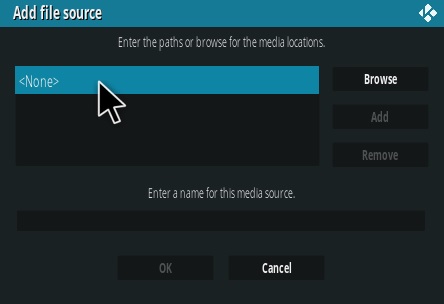
- On the left click Add Source
- Click where it says NONE
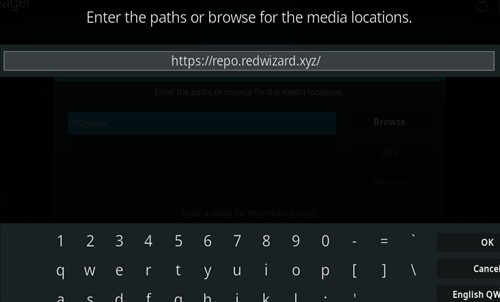
- Type in the URL: https://repo.redwizard.xyz and click OK
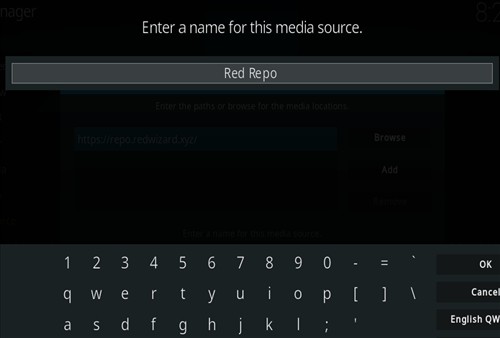
- In the next box down name it Red Repo and click OK
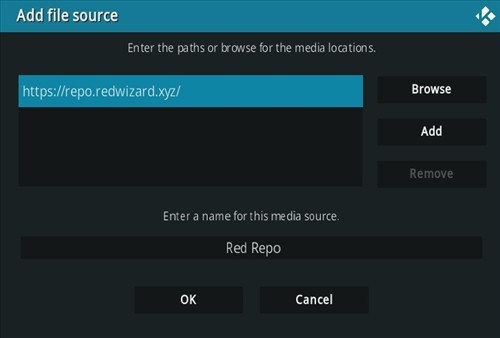
- Double check everything is correct and click OK
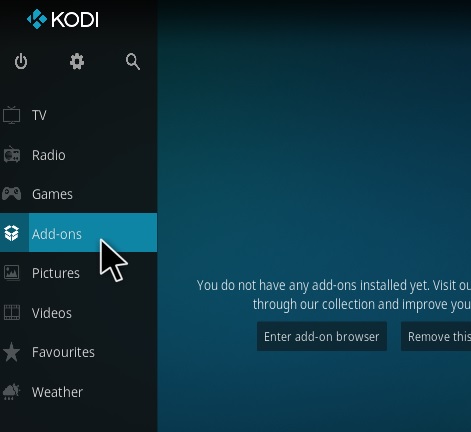
- Go back to the main menu and click Add-ons
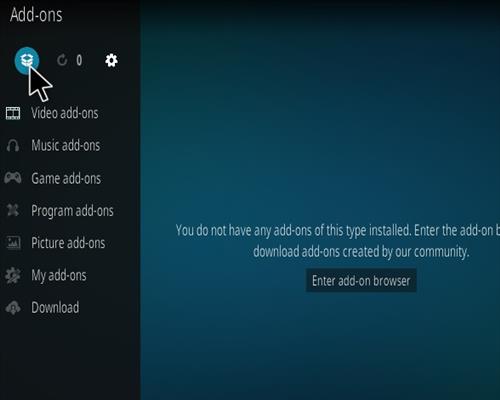
- Click the Add-on Package Installer Icon at the top left
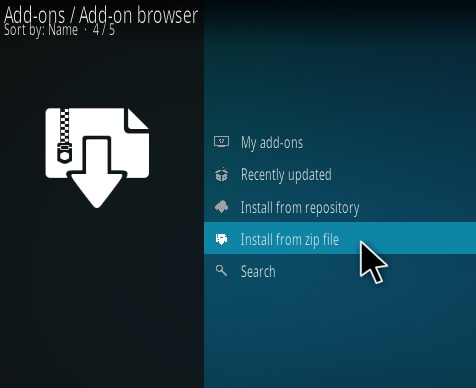
- Click Install from zip file
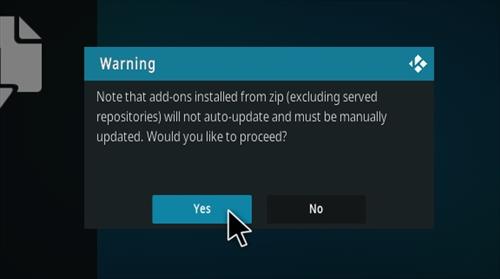
- Click Yes on the Warning popup and if not already be sure Unknown Sources is enabled
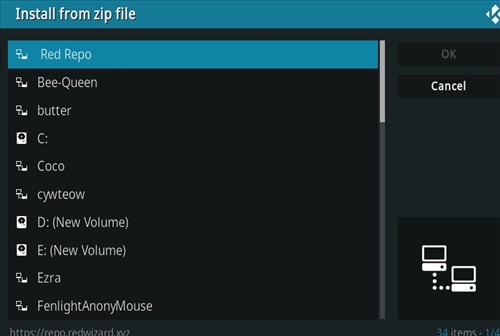
- A box will pop open select Red Repo
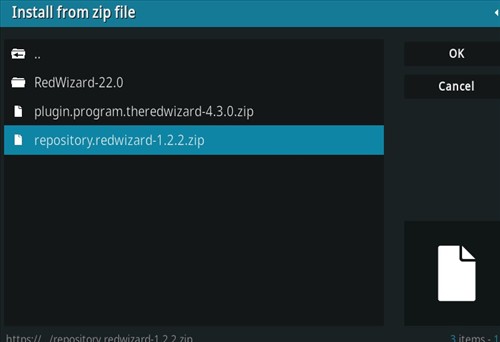
- Click repository.redwizard-1.2.2.zip
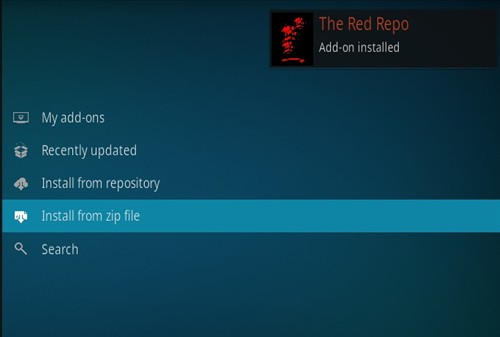
- Wait for the Repository to download and popup at the top right and say Installed
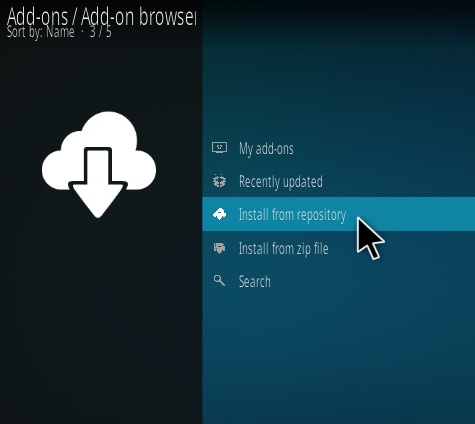
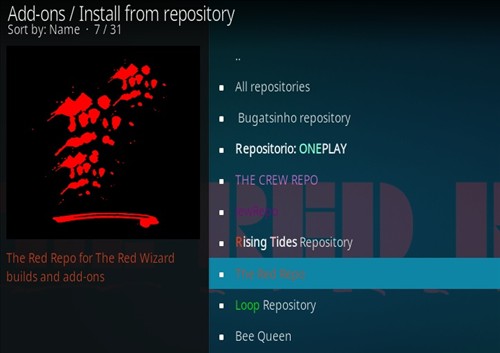
- Click Install from repository
- Click Red Repository
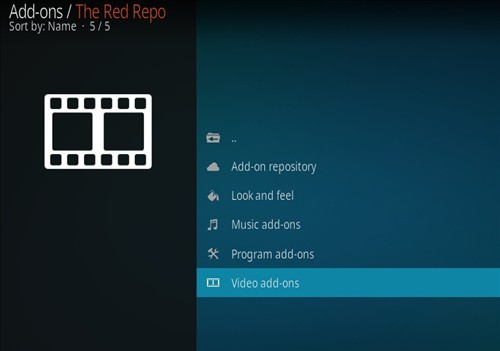
- Video add-ons
- Click Fen Light AM (Unofficial)
- Click Install


How To Setup Real-Debrid with Fen
A Real Debrid account account will be needed along with credits purchased to use the following steps. There are other Debrid services available to use with the steps being basically the same. Other top Debrid services include All-Debrid and Premiumize. (*WirelesSHack.org has No affiliation with any Kodi addon or any Debrid service)
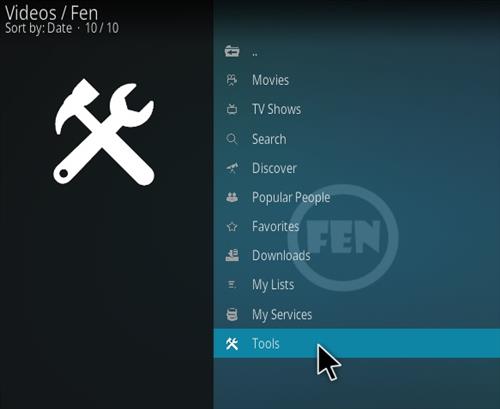
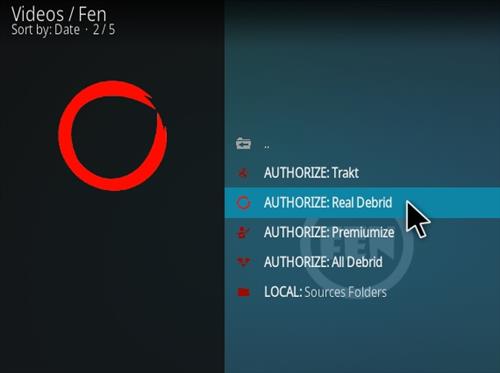
- Open FEN scroll down and select Tools
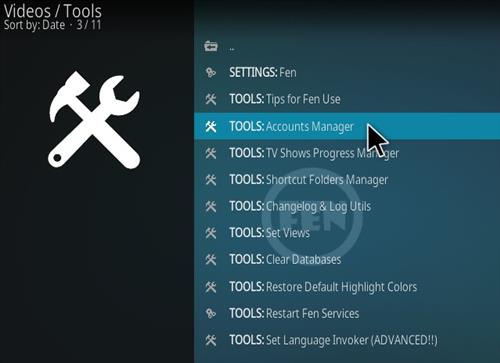
- Select TOOLS: Accounts Manager
- Select AUTHORIZE: Real Debrid
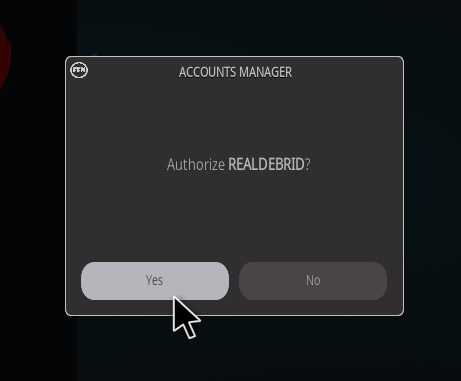
- Click Yes on the popup
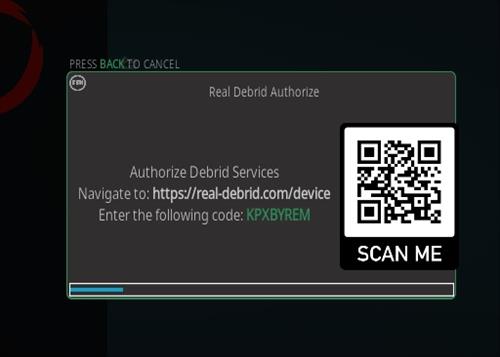
- A pin code will popup, follow the next steps for where to paste the pin to verify your device. (You will have 900 seconds to type in the Pin.)
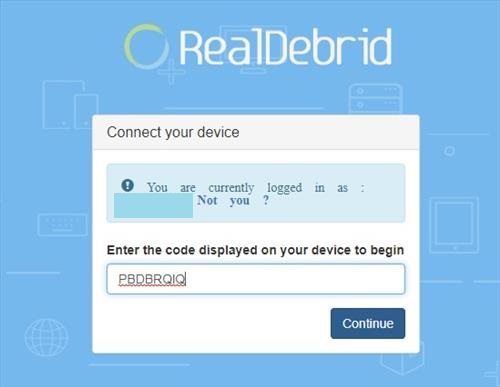
- Open a browser on your smartphone or computer and Go to the URL https://real-debrid.com/device.
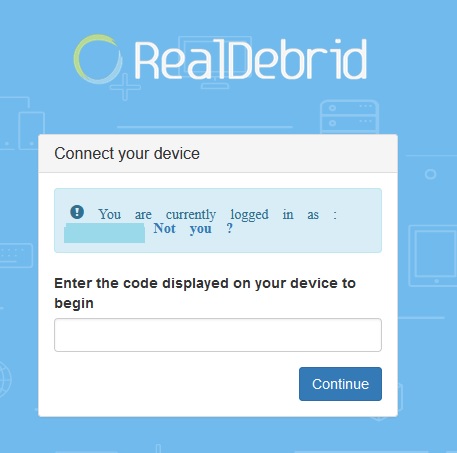
- A PIN will display to type into the box at the URL https://real-debrid.com/device.
- Type in the PIN number.
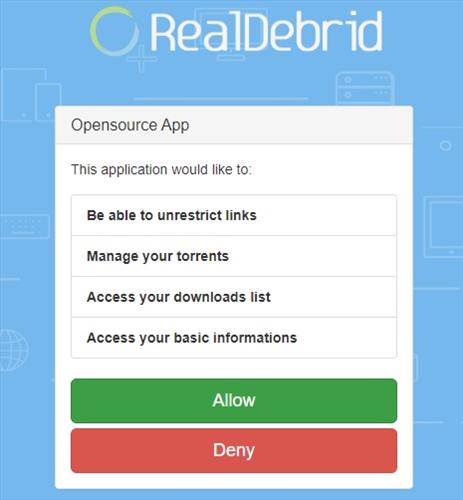
- Click Allow
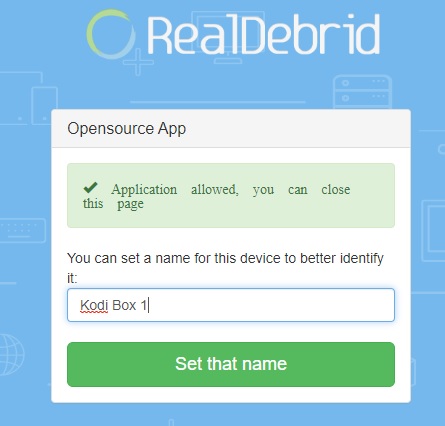
- The set up can be named and saved.
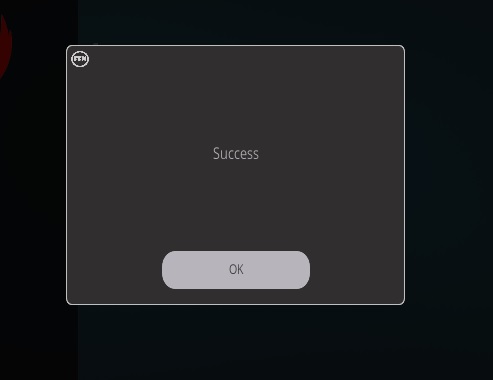
- The Real Debrid setup is now done and ready to be used.
How To Install Coco Scrapers with Fen
- At the top left click the System Settings (Gear Icon)
- Click File Manager
- On the left click Add Source
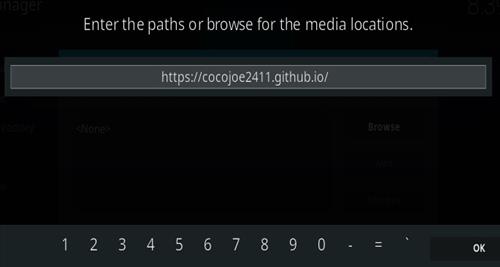
- Click where it says NONE
- Type in the URL: https://cocojoe2411.github.io/
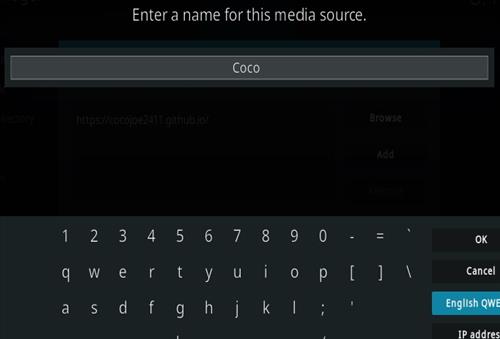
- In the next box down name it Coco and click OK
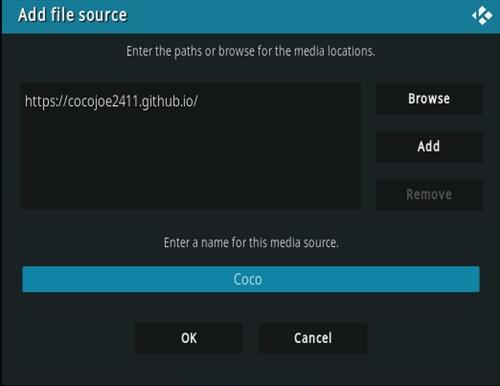
- Double check everything is correct and click OK
- Go back to the main menu and click Add-ons
- Click the Add-on Package Installer Icon at the top left
- Click Install from zip file
- Click Yes on the Warning popup and if not already be sure Unknown Sources is enabled
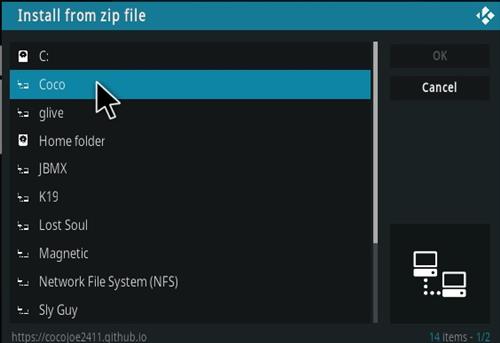
- A box will pop open select Coco
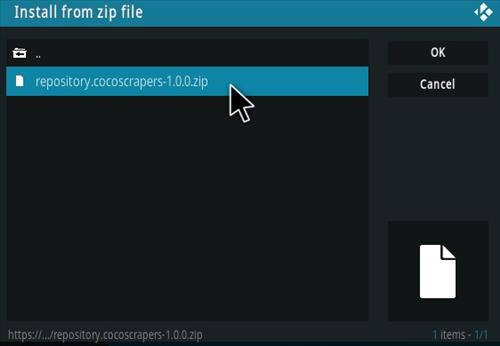
- Click repository.cocoscrapers-1.0.0.zip (If there is a new version install it.)
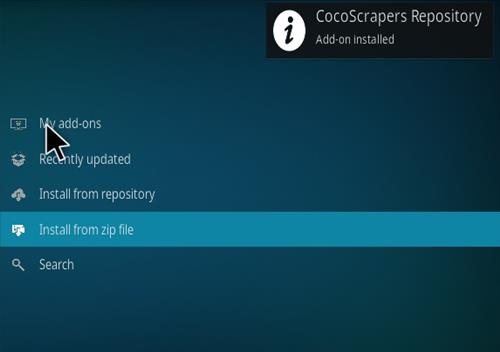
- Wait for the Repository to download and popup at the top right and say Repo Installed
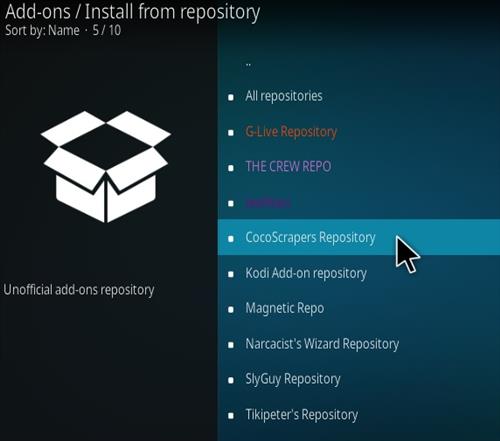
- Click Install from repository
- Click Coco Scrapers
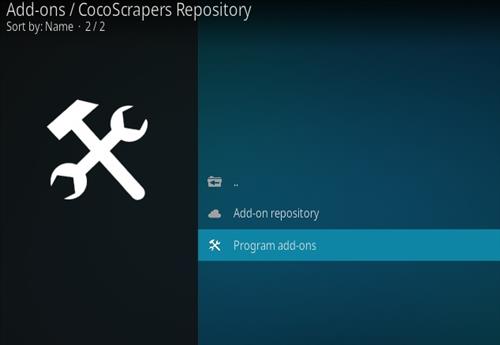
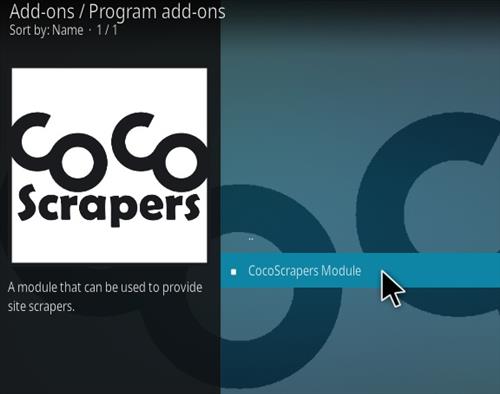
- Program add-ons
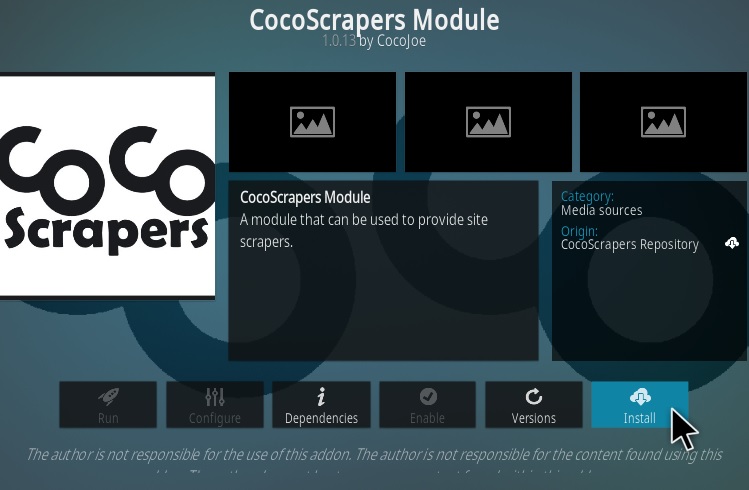
- Click CocoScrapers Module
- Click Install
How To Enable Coco Scrapers with Fen
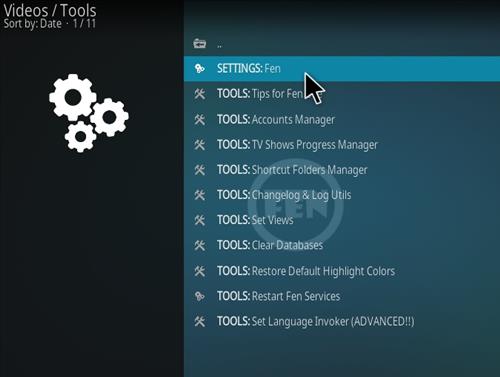
- Open FEN scroll down and select Tools
- Select SETTINGS: Fen
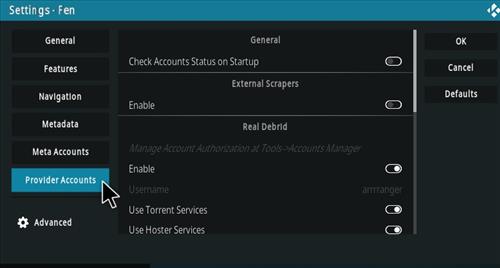
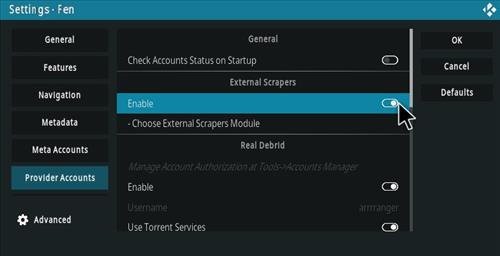
- On the left select Provider Accounts option
- In the External Scrappers box select Enableto turn it on
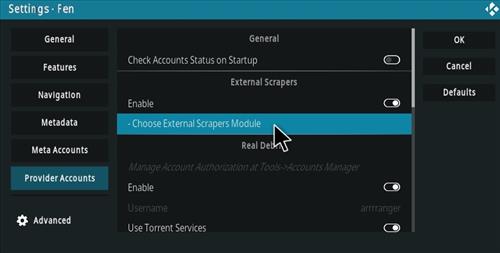
- Select Choose External Scrpapers Module
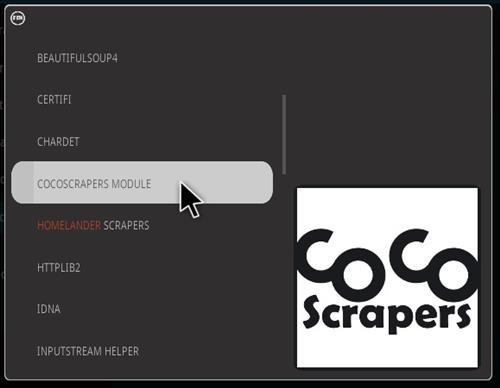
- Select COCOSCRAPPERS MODULE
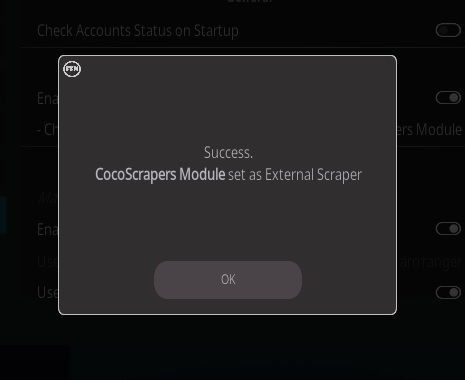
- It will be enabled and ready to be used
Is it still working? Another Repo source? What are the work arounds?
Today is June 3rd, 2026. It’s not displaying any media source.. smh
Its best to install Red Light addon located in the RED Repo. Its a FEN Light fork and what most FEN fans are installing.
Hello, your manual is out of date fen light no longer in de listing of red repo
thats a plugi n
wjeres tje repo for fenlightam