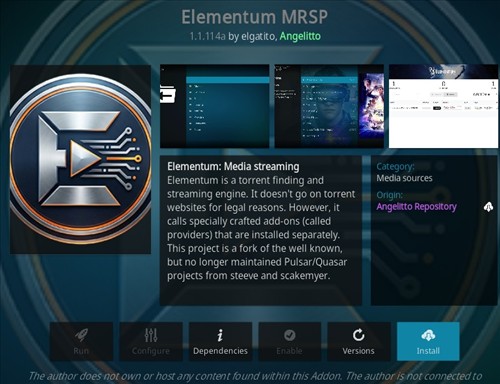
Elementum MSRP is a Kodi video addon located in the Angelitto Repository.
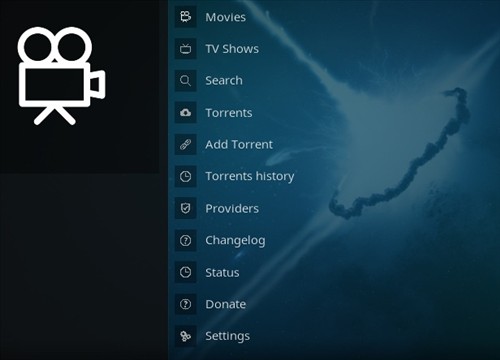
It has sections for Movies, TV Shows, Search, Torrents, and more.
Elementum MSRP has torrent links, which may have legal issues depending on your location. Always check your local laws before using it. A VPN is strongly recommended for privacy.
This addon is only for advanced users who understand how torrents work.
Using a good VPN with Kodi is always suggested for privacy, security, and being anonymous. If you need a good low-cost VPN to use with Kodi, Try NordVPN; it has multiple high-speed servers with no throttling or logs.
*WirelesSHack.org has No affiliation with Kodi, any Addons, Repos, or Builds. WirelesSHack.org is a news and informational site which does not support or condone copyright infringement. Kodi should only be used with content that is bought and owned personally or is in the public domain.
Elementum MSRP Kodi Addon Location and Info
- Addon Name: Elementum MSRP
- Repository Name: Angelitto Repository
- Repository URL: https://angelitto2005.github.io/repository.angelitto/
- Kodi Version Compatibility: 21 Omega
How To Install Elementum MSRP Kodi Addon
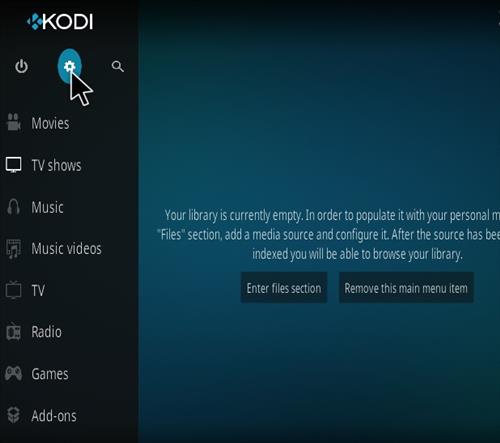
- At the top left click the System Settings (Gear Icon)
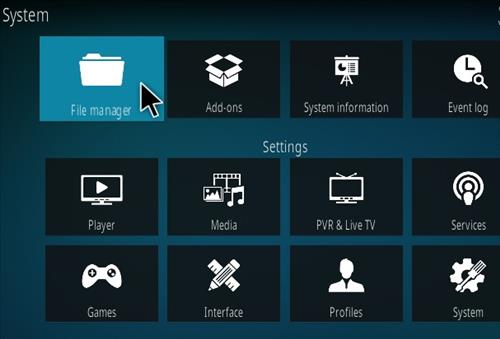
- Click File Manager
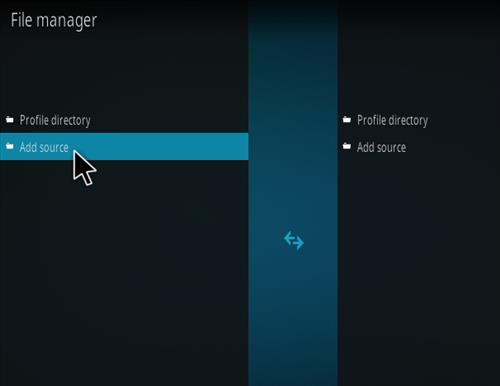
- On the left click Add Source
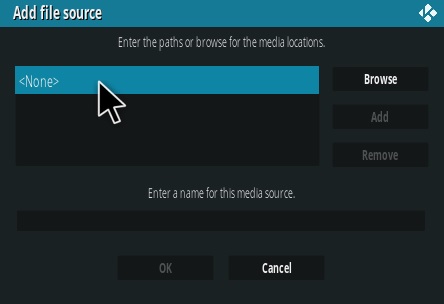
- Click where it says NONE
- Type in the URL: https://angelitto2005.github.io/repository.angelitto/
- In the next box down name it repository.angelitto and click OK
- Double check everything is correct and click OK
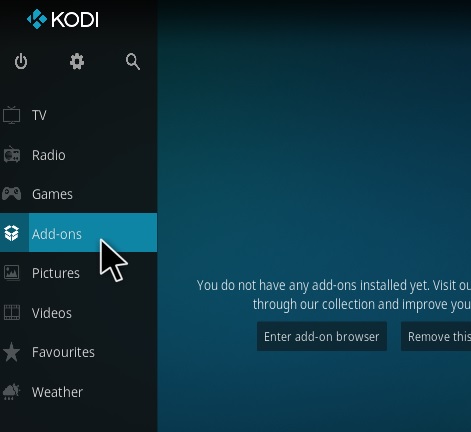
- Go back to the main menu and click Add-ons
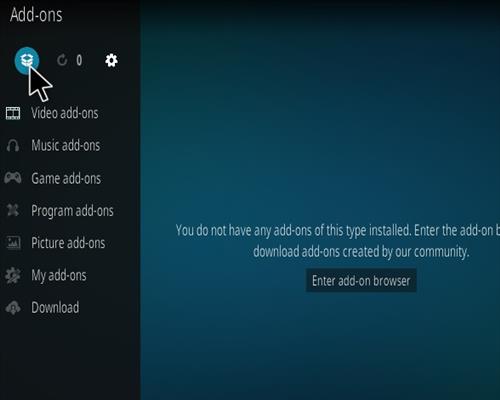
- Click the Add-on Package Installer Icon at the top left
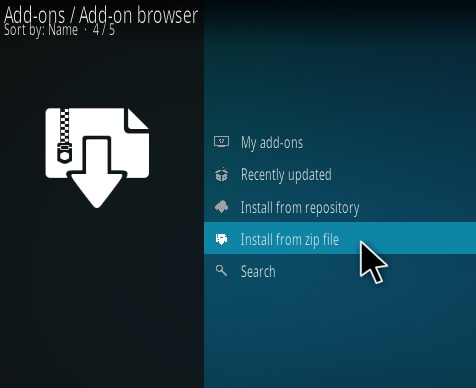
- Click Install from zip file
- A box will pop open select repository.angelitto
- Click repository.angelitto-1.0.2.zip
- Wait for the Repository to download and popup at the top right and say Repo Installed
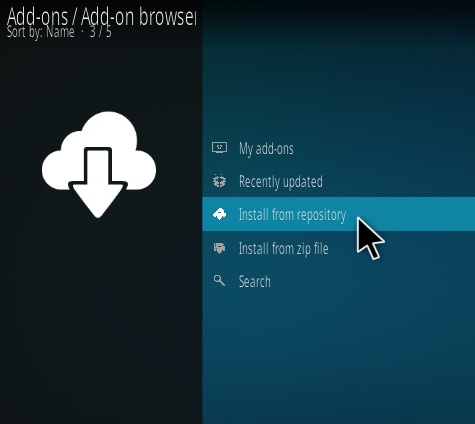
- Click Install from repository
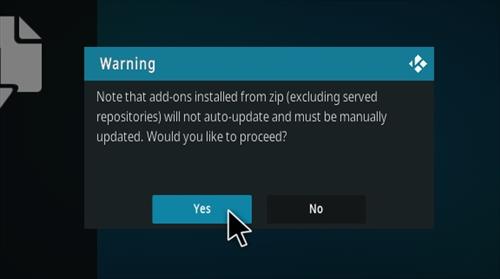
- Click Yes on the Warning popup and if not already be sure Unknown Sources is enabled
- Click Angelitto Repository
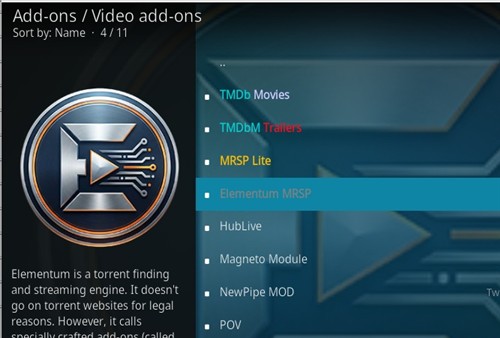
- Video Add-ons
- Click Elementum MSRP
- Click Install