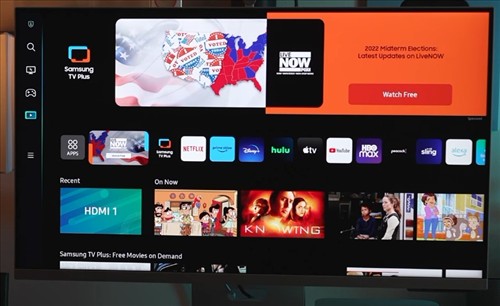
Transmitting a screen wirelessly from a computer to a monitor or TV can be done easily with several technologies that can be used.
Different kinds of technology can do this, such as Miracast, AirPlay, Google Cast, and many proprietary setups.
There is no one unit for all scenarios with the many different setups possible.
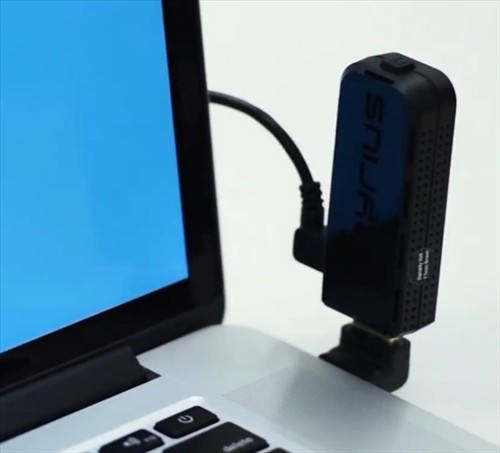
Things such as cost, resolution, lag, and transmission distance all need to be considered.
For example, proprietary transmitter kits are often the easiest to set up but often cost more.
Another option that has become popular is a smart monitor that has wireless screen mirroring built right in, so no extra hardware is needed at all.
With that in mind, here are our picks for the best wireless computer monitor setups.
As always, be sure to read the reviews on Amazon, forums, or elsewhere to be sure a unit is a good fit for you.
*This site contains affiliate paid links for which a commission earned.
Our Picks for Best Wireless Computer Monitor Setups
- Integrated Smart Monitors (Best All-In-One Solution)
- Google TV Streamer (Best for Upgrading Existing TVs & Monitors)
- Hardware Transmitter Kits
- Nyrius Aries Prime
- UGREEN Wireless USB-C Transmitter and HDMI Receiver
- EZCast 2
- ScreenBeam MyWirelessTV2 Kit
Samsung Smart Monitor M8 (M80F)
Available Here on Amazon
If you are buying a new monitor anyway, a smart monitor is the easiest way to go wireless.
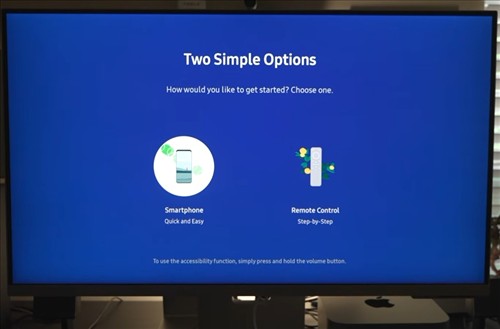
The Samsung Smart Monitor M8 is a 32-inch 4K monitor that has wireless screen mirroring built in, so there is no adapter or dongle to plug in.
It supports Apple AirPlay 2, so an iPhone, iPad, or Mac can mirror its screen to it without needing an Apple TV.
Android phones can mirror to it as well, and it can also connect to a Windows or Mac computer wirelessly.
It also works as a standalone smart TV with apps such as Netflix, YouTube, and Prime Video, and comes with a remote.
It still has USB-C and HDMI ports, so it can be used as a regular wired monitor when needed.
The LG MyView Smart Monitor is another good option that works much the same way, with AirPlay 2 and Screen Share for Android devices built in.
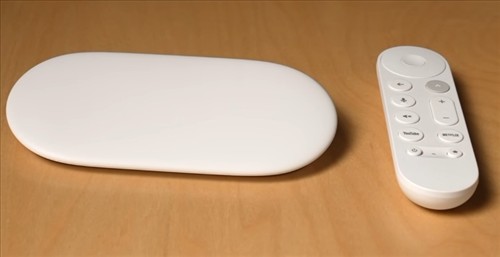
Google has discontinued the Chromecast, and the Google TV Streamer is now its replacement.
It is a small set-top box that connects to a TV HDMI port and streams in 4K HDR.
It has Google Cast built in, so a Chrome browser tab or an entire desktop can be cast from a Windows PC or Mac, and Android phones can cast their screen to it.
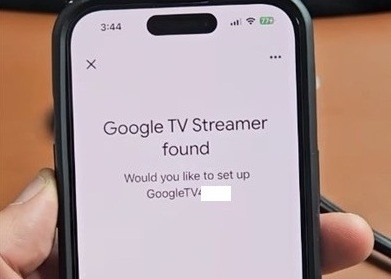
It also works as a full streaming device with a remote, apps, and smart home controls.
If you already have an older Chromecast, it will still work, as Google is continuing to support existing units.
If you are looking for a quick and easy solution to wireless video, definitely check out the reviews on the Google TV Streamer.
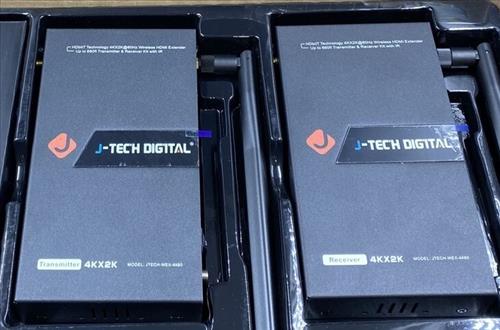
J-Tech Digital Wireless HDMI Extender (JTECH-WEX200V3)
If you already have a TV or monitor you like, a hardware transmitter kit is the way to go.
These kits work with almost any device that has an HDMI output, such as a computer, gaming console, or cable box, and they do not need any software or drivers.
J-Tech Digital makes a few versions of a wireless HDMI transmitter that can send an HD 1080p or even 4K signal.
A setup contains a transmission box and a receiver box that communicate together, transmitting an HD signal.
The WEX200V3 can send a 1080p signal up to 200 feet, even through interior walls, and one transmitter can send to two receivers at the same time.
The installation is easy by plugging in the HDMI cables and powering on the boxes.
Different versions can be bought that send up to 660 feet, with the JTECH-WEX4K-50 able to transmit 4K video at 60Hz.
It is great for video but J-Tech notes it is not made for real-time PC gaming, so keep that in mind.
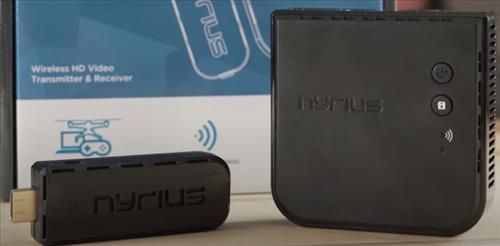
This unit from Nyrius can transmit 1080p HD video and sound wirelessly.
It has a simple setup with a transmitter and receiver.
The transmitter is a small stick that plugs into the HDMI port of a laptop, computer, gaming console, or set-top box and uses USB for power.
The receiver connects to a TV or monitor and receives the signal broadcast from the transmitter.
It has a shorter range of about 30 feet with a clear line of sight, but it has very low lag, which makes it one of the better options for a computer screen.
Since it works with almost any device that has an HDMI output port, the Nyrius ARIES has been a popular option for years.
Many newer laptops only have USB-C ports, and this kit from UGREEN is made just for them.
The transmitter plugs into a USB-C port on a laptop, tablet, or phone, and the receiver plugs into the HDMI port of a TV or monitor.
It can send 1080p video at 60Hz using 5GHz WiFi up to about 164 feet, and it can either mirror the screen or extend it as a second monitor.
It also has 60W pass-through charging, so a laptop can stay charged while it is being used.
The USB-C port on the device needs to support video output (DisplayPort Alt Mode) for it to work, so be sure to check your device first.
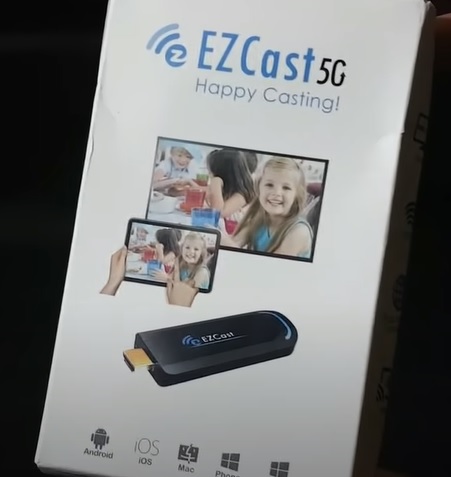
The EZCast 2 is a small HDMI dongle that plugs into a TV or monitor and turns it into a wireless display.
It can receive a signal from any Miracast capable device, which includes Windows 10 and 11 computers and many Android smartphones.
It also supports AirPlay mirroring for iPhones, iPads, and Macs, along with DLNA.
It works on both 2.4GHz and 5GHz WiFi and can output up to 4K.
There is also an app for devices that do not support any of these to mirror a screen and transmit it wirelessly.
With the Microsoft Wireless Display Adapter now discontinued, the EZCast 2 is one of the best low-cost Miracast adapters still available.
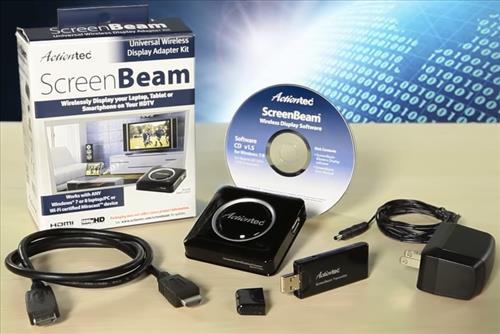
ScreenBeam, which was previously Actiontec, makes this dedicated wireless HDMI kit.
The transmitter connects to a computer, cable box, or gaming console with HDMI and sends the signal to a receiver connected to a TV or monitor.
It can send 1080p video at 60Hz and 5.1 surround sound up to around 100 feet, even through walls and floors.
It does not need a WiFi network, and it can send to up to 3 TVs at the same time with extra receivers.
As with other types of setups, it does have some lag, so be sure to read the reviews to see if it is right for you.
Types of Wireless Monitor Technologies
- Miracast
- AirPlay
- Google Cast
Miracast was first introduced in 2012 and is still one of the most common wireless protocols for wireless transmission of a monitor screen.
It can transmit up-to 1080p video resolution without wires, with some adapters able to output higher.
Windows 10 and 11 come with Miracast built in, along with many Samsung TVs, LG TVs, and other electronics.
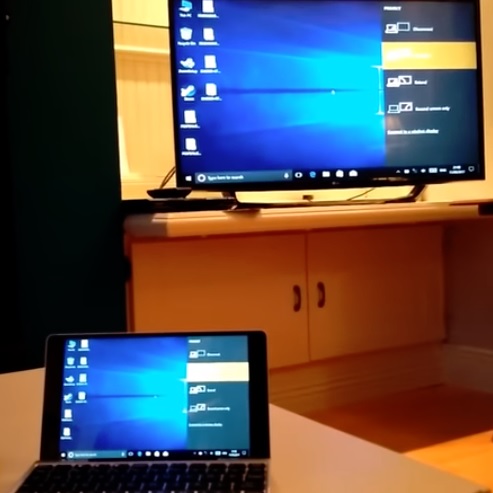
Miracast adapters can also be bought on the cheap that can enable it to be used with a computer monitor or TV to transmit video without wires.
For example, a Windows laptop can transmit its screen to a TV or monitor that has Miracast.
If the TV or monitor doesn’t have Miracast capability an adapter/dongle can be bought that will make it capable.
Android support is now mixed.
Many Android phones such as Samsung Galaxy phones still support it (Samsung calls it Smart View), but Google Pixel phones have dropped Miracast in favor of Google Cast.
Also, Microsoft has discontinued its own Miracast adapter, the Microsoft Wireless Display Adapter, so a third-party adapter such as the EZCast will be needed.
AirPlay is an Apple standard that comes built into many Apple devices such as iPhones, Macs, iPads, and Apple TVs.
While AirPlay started out only working with Apple devices, AirPlay 2 is now built into many smart TVs from Samsung, LG, Sony, Vizio, and Roku.
It is also built into smart monitors such as the Samsung Smart Monitor M8 and LG MyView, so an Apple TV is no longer needed.
Newer Macs can even act as an AirPlay receiver themselves.
If you have an Apple home ecosphere with an iPhone, Apple TV, Mac, and so on, AirPlay may be the best option for you.
Google Cast is the technology that powers Chromecast and is built into the Google TV Streamer, Android TV and Google TV televisions, and many other smart TVs.
It can cast from Android phones, and from the Chrome browser on Windows, Mac, and Chromebooks.
It is the main option for Google Pixel phone owners since they no longer support Miracast.
Miracast, Google Cast, or a proprietary transmitter kit will likely be best for everyone else.
I’m looking for a usb wifi connection device to setup on my swann pro series security camera system to enable me to monitor from a regular flat screen tv. I’m new at this but am reading and researching to figure this out. I haven’t got the camera system install yet but researching a way to keep from running a hdmi cable from camera system to tv in the attic down the wall.
Is there a way to connect multiple displays (monitors or tvs) to one computer (laptop or desktop) that would allow that one computer to display multiple things such as a spreadsheet on one, weather radar on another, a word document on another, and other webpage content on other displays? I’m looking at putting these displays on a wall and displaying information for my entire office to see, but also have another computer display this information when I’m off. I already have 3 monitors connected to my laptop, so for me it would be an additional 3-5 displays.
If I use miracast to transmit to a screen that is remote from the desktop computer. Is it possible to have a mouse and keyboard at that remote screen to control the computer.
Wireless mouse and keyboard may work depending on how far away you are from your pc.
This question coincides with Andrews’. Does Miracast have an ‘all-in-one’ product that will accommodate one wireless device connection for mouse / keyboard / monitor / TV; instead of having a wireless device for each to eliminate the need for each cable – too much clutter.
Im looking for a setup where a tablet display (android or ipad, doesnt matter which) can be displayed wirelessly IN PORTRIAT MODE, on a remote monitor, like 10 feet away. Any ideas? Currently i use a windows computer to receive the wireless signal from tablet, change display properties in win 10 to portriat and feed the signal via a cable to the monitor. Its messy and sometimes doesnt work, depending on how the wireless app works at any giiven time. Looking for somethong more reliablemom
Hi im looking for a setup that does it like an hdmi so instrad of hdmi cable from pc to monitor id like it wirelessly using my pc for gaming
Forget Miracast and the other well known standards. They require companies comply with certain standards.
Like edge (ie) not streaming many video’s via Miracast, Netflix wont play with it.
Anyone who wants to profit from video will want a slice of the pie.
That is all your video and sound transmitted without restrictions.
Transmission from computer to tv can I extend desktop? Have Word open on a laptop and another app on tv?
I’ve used Miracast, Diamond, and Actiontec listed in the article. All extend the desktop/laptop.
Miracast and Diamond are obviously alternative choices, as they will add bulky dongles and excess cables hanging out of your computer and TV. At the time I used Diamond, there was also an issue with one of the new Windows Updates that caused my Diamond device to stop working. I’m not sure if that has been resolved. I think the Windows update had an ID of “1604”, if I recall correctly.
If you have a newer laptop/desktop that has Miracast and a newer TV that also has Miracast, there are no external dongles needed. From Win10, just click the Windows Key + P, then click Extend, this will give you the list of TV or devices in your house that you can connect to (that are Miracast capable). I suppose it depends on the TV, but my MIracast connection broadcasts both video and audio from my laptop. Wireless extended TV/monitor without wires or dongles, you can’t beat that!
Hi thanks for the great article. I need dual-screen capability with my wireless transmitter – I need to use my laptop for other things when it is transmitting to a screen. Is this possible with any of these??
Look forward to hearing from you, really appreciate the advice! Only found AirTame so far that definitely does this. Cheers!
>Microsoft Wireless Display can duplicate or extend a screen. It has a lot of options and can turn a TV into a second monitor.
i still prefer chromecast, more stable
Do any of these have dual screen capability??
I need to be able to use my laptop for something else whilst transmitting wirelessly?
Thanks so much for your help
An older Microsoft Wireless Display can do this.
Thanks for a great article! I’d add ArkMC for iOS/Android or Mac. I use this app for streaming my pics, videos, music to different compatible devices that use dlna. It’s also very comfortable because it’s wireless and you don’t have to use any adapters or cables.
I’m looking for away to hook up my wireless security router to a monitor in another room wireless what would be a good unit.
One of the proprietary wireless transmitters that dont need any drivers or operating system would likely be best such as the J-Tech Digital HDbitT.
Hi
perhaps a silly question, but I am some what aged
Will devices of this type enable I-player type content to be transmitted from a PC and viewed on a remote monitor/TV?
Yes. You can always stream iPlayer content from your PC browser to a Chromecast in your Monitor/TV. Also from Apple or Android mobile devices by the way.