Mad Titan Sports is a Kodi sports addon located in the Magnetic Repository.
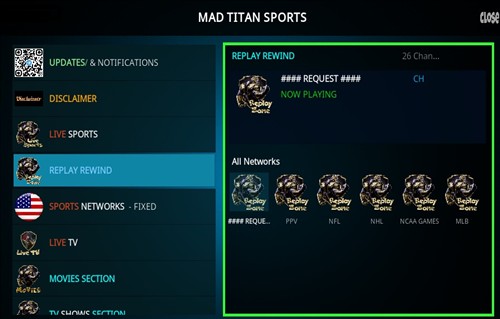
Sections include Updates, Live Sports, Replay Rewind, Sports Networks, Live TV, Movies, TV Shows, Music, Sports Docs, and more.
The layout has been updated for 2026 with new, bigger, easier to see icons and other new features.
*WirelesSHack.org has No affiliation with Kodi, any Addons, Repos, or Builds. WirelesSHack.org is a news and informational site which does not support or condone copyright infringement. Kodi should only be used with content that is bought and owned personally or is in the public domain.
Mad Titan Sports V2.0 Location and Info
- Addon Name: Mad Titan Sports V2.0
- Repository Name: Magnetic Repository
- Repo URL: https://magnetic.website/repo/
- Kodi Version Compatibility: 20 Nexus and 21 Omega
How To Install Mad Titan Sports Kodi Addon
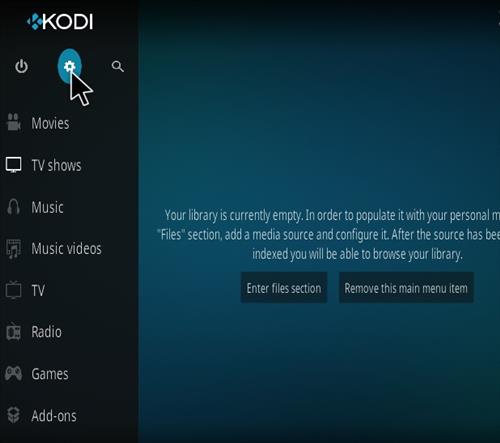
- At the top left click the System Settings (Gear Icon)
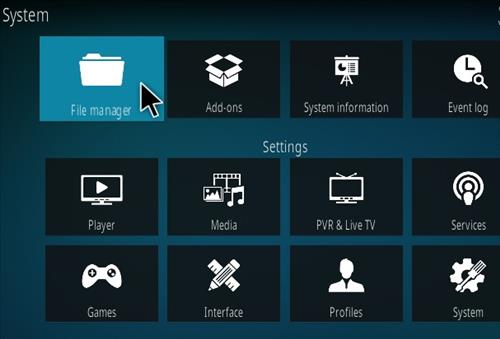
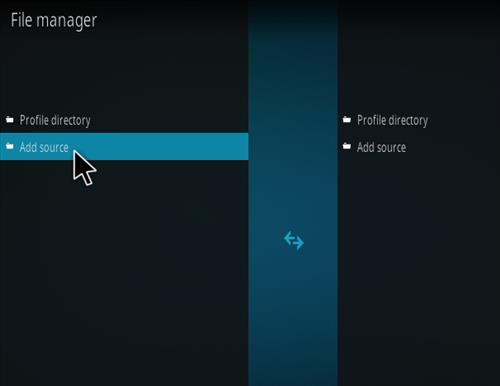
- Click File Manager
- On the left click Add Source
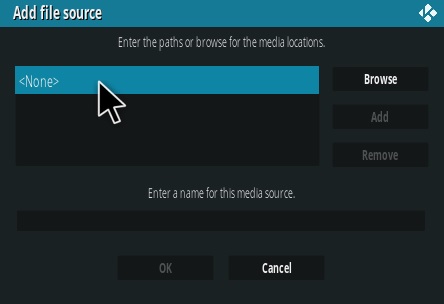
- Click where it says NONE
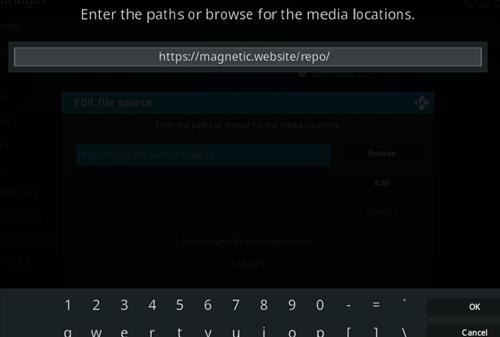
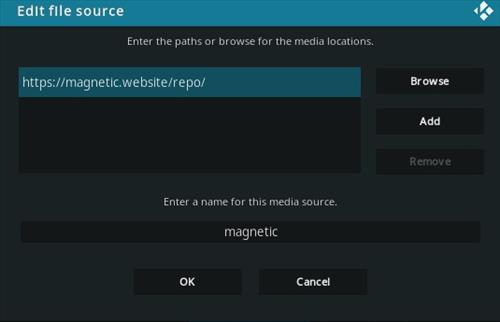
- Type in the URL: https://magnetic.website/repo/ and click OK
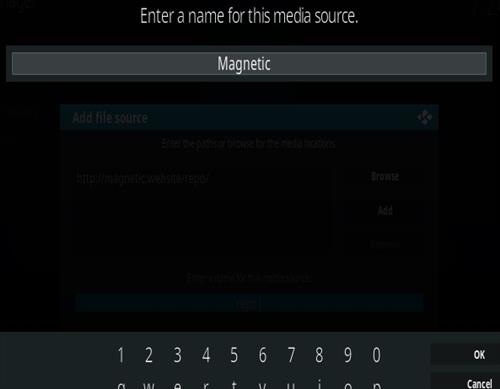
- In the next box down name it Magnetic and click OK
- Double check everything is correct and click OK
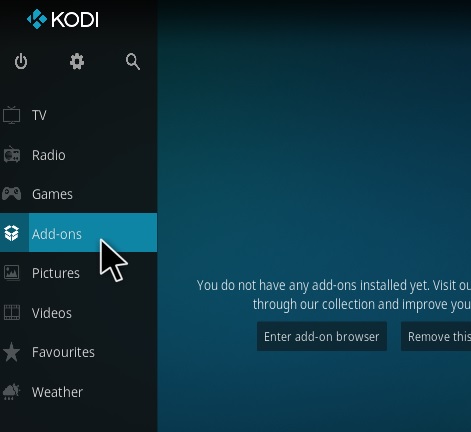
- Go back to the main menu and click Add-ons
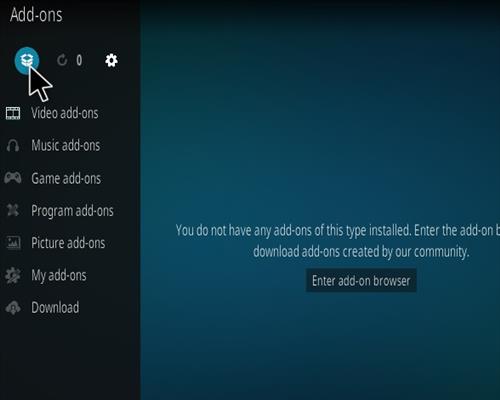
- Click the Add-on Package Installer Icon at the top left
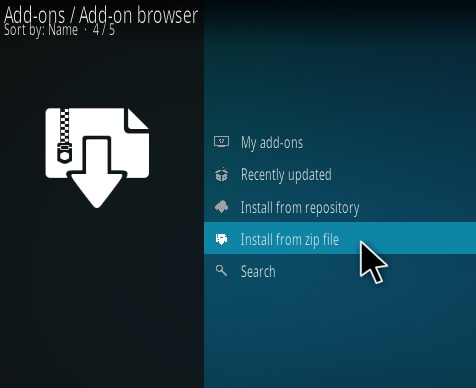
- Click Install from zip file
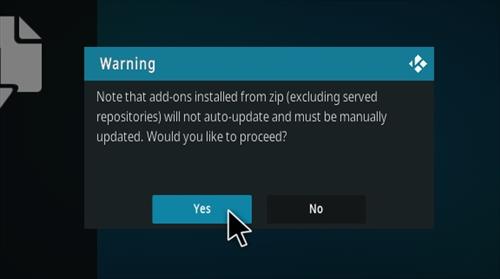
- Click Yes on the Warning popup and if not already be sure Unknown Sources is enabled
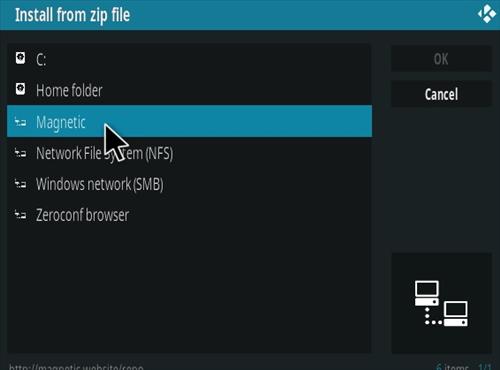
- A box will pop open select Magnetic
- Click repository.magnetic-1.1.0b.zip (If there is a newer version install it)
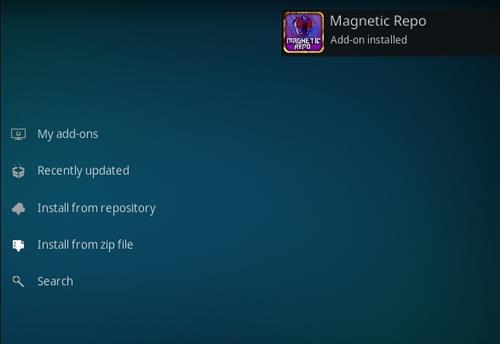
- Wait for the Repository to download and popup at the top right and say Repository Installed
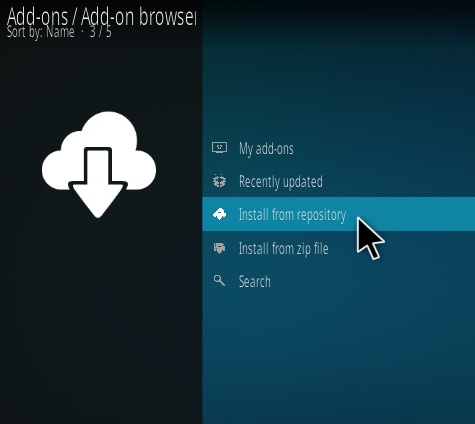
- Click Install from repository
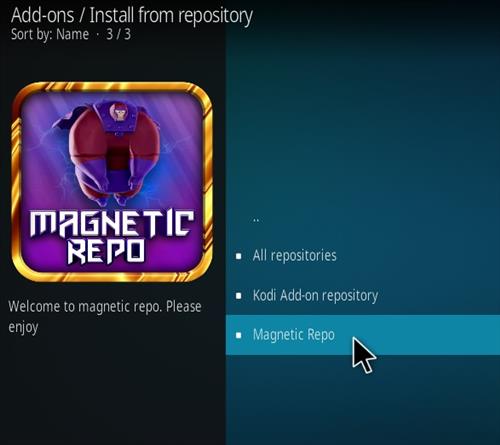
- Click Magnetic Repo
- Video Add-ons
- Click Mad Titan Sports V2.0
- Click Install



August 13, 2026. Hi is MadTitan and the Loop dead?
Nope just installed in October of 26’ for baseball you need to download certain dependencies to make it work but if not comfortable with Linux or terminal command can just take few pics with ChatGPT you can get it working in about 30min
Easily the best sports app right now
not woeking
This repo only work on PC or Mac. No luck installing to IOS device.
I have it installed nad have used it but now its not working.
The search does not work here for a long time
just how many things can be added to the mad titan? i have followed your instructions to a tee, and i still cannot
open the MAD TITAN. WHAT IS THE STORY?
When I try to open Mad Titan I get a notice that it’snot an official repository,is there another repository besides Magnetic?
I am having the same issue, been using this addon for 2 years without fail, and then starting Friday anytime I click on a channel in my PvR, or try to open app up nothing happens then I get that error message. Been scouring message boards to see if anyone has a remedy. This addon is literally 90 percent of my Kodi watching, am lost without it
Having same issue I’ve completely restored the whole app. Any tips? D did you get it working
I’m using vpn, kodi and the crew, mad titans and sportsHD
Normally the best with Sports, however all
Tails are mo longer working/available..
🙁
Please fix
Works fine
Says “failed to install a dependency”.- Input stream adaptive failed to download
This is a piece of junk addon. Nothing works.
Works for me in USA with no VPN
Works perfectly with no VPN on my x96mini Android box on Kodi 19.4 matrix. I GOT “MAD TITAN SPORTS V2.0.