
Android TV boxes have become very popular media centers and are a great way to stream media to a TV.
There are many streaming services available, with Netflix being one of the top providers.
Android TV boxes and Netflix work very well together, with some exceptions, mainly with HD and 4K content.
Some Android TV boxes will not be able to play Netflix 1080p or 4K streams since there are restrictions in place to protect the content.
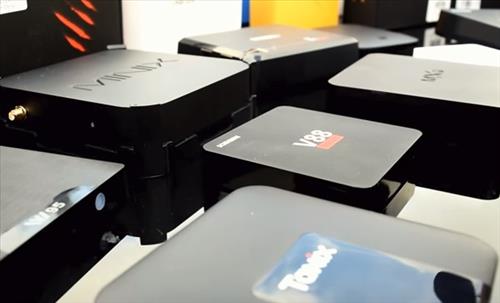
This means while many units will run the Netflix app, they will only play a low resolution video.
There are some units that will play 1080p and even 4K videos, but they must meet certain requirements.
This means most budget, low-cost Android TV Boxes will only play a standard video resolution with Netflix even if the hardware supports HD.
This matters more now than it used to, since Netflix no longer sells a 480p plan. Every current plan is at least 1080p, so a box that is stuck at low resolution is giving you less than you are paying for.
Netflix HD 4K Android TV Box Requirements
- The box must Not be Rooted. If a box has been rooted it will need to be reversed, which usually means flashing back to stock firmware.
- Must meet Level 1 Widevine to ensure movies and TV shows cannot be copied.
- Must be Google Play certified. Boxes running a custom or uncertified build of Android are usually blocked from the official Netflix app.
- For 4K, the box also has to be on the Netflix certified device list. Widevine L1 on its own is not enough. The TV and HDMI cable also need to support HDCP 2.2.
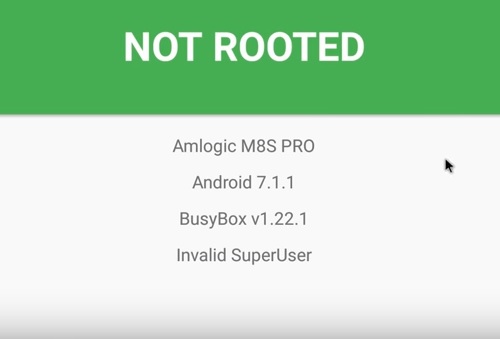
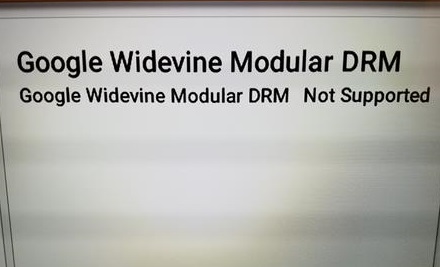
There are three levels of Widevine security L1, L2, and L3. A TV box will need to be Level 1 to stream HD content from Netflix.
A quick way to check a box you already own is to install the free DRM Info app from the Play Store. It will show whether Widevine is running at L1 or L3.
Netflix WiFi Speed Requirements
A box should also have good WiFi to stream content. While most boxes will have no problems it is good to be aware of the bandwidth needed to get good streams with no buffering.
Netflix has the following speed recommendations.
- 3 Megabits per second – HD 720p
- 5 Megabits per second – Full HD 1080p
- 15 Megabits per second – Ultra HD 4K
Keep in mind those numbers are for one stream on its own. If other devices in the house are using the internet at the same time, more speed will be needed.
If a box has an Ethernet port, using it instead of WiFi will almost always give a more stable stream.
Netflix Plans
- Standard with ads – HD Quality 1080p
- Standard – HD Quality 1080p
- Premium – UHD Quality 4K with HDR
Netflix currently has three plans available, Standard with ads, Standard, and Premium.
The old Basic 480p plan was discontinued and is no longer sold, so all three current plans will stream at least 1080p.
Only the Premium plan will play 4K, so if you want to watch videos in Ultra HD the right plan will be needed along with the right box.
So What is the Best Android TV Box for Netflix?
There are many boxes available with different price ranges and hardware.
A unit should meet the basic requirements above to get the best results.
There are many good units available with some of our favorite picks below.
As always be sure to read the reviews on Amazon, forums, or elsewhere to be sure a unit is a good fit for you.
*This post contains affiliate links.
Our Picks for Best Android TV Boxes for Netflix
- Onn 4K Pro
- Google TV Streamer 4K
- Nvidia Shield TV / Shield TV Pro
- Xiaomi TV Box S 3rd Gen
- Amazon Fire TV Stick 4K Max
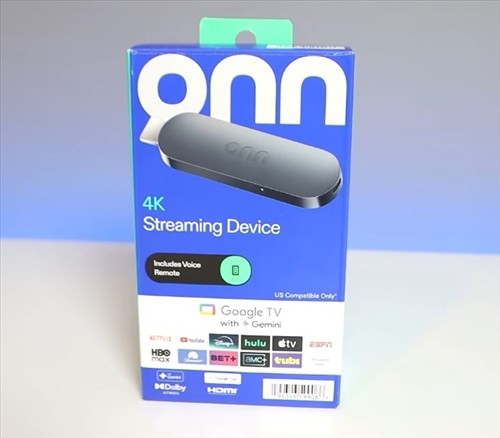
The Onn 4K Pro is the best value box available right now.
It runs Google TV with 3GB Ram, 32GB of storage, WiFi 6, Bluetooth, an Ethernet port, and a USB-A port for adding a drive or a controller.
It plays Netflix in 4K with Dolby Vision and Dolby Atmos, and the remote has a backlight along with a button to find it when it goes missing.
The one downside is the Ethernet port is limited to 100Mbps, which is still far more than enough for a 4K Netflix stream.
For most people looking for a box to stream Netflix and not much else, this is the one to get.

Google discontinued the Chromecast line and replaced it with the Google TV Streamer, which is a small box rather than a dongle.
It has 4GB Ram, 32GB storage, WiFi 6, and a Gigabit Ethernet port, along with 4K HDR, Dolby Vision, and Dolby Atmos.
Being a Google unit it is certified out of the box, so Netflix runs in 4K with no problems.
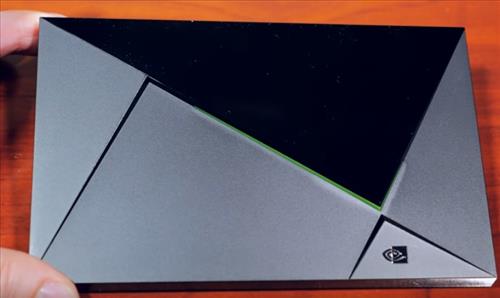
The Nvidia Shield is the most well known Android TV box with some of the best hardware available.
It has a NVIDIA Tegra X1+ processor, 802.11ac WiFi, Gigabit Ethernet, and plays 4K UHD video with Dolby Vision and Dolby Atmos.
There are two versions still sold. The small tube shaped Shield TV has 2GB Ram and 8GB storage, while the larger Shield TV Pro has 3GB Ram, 16GB storage, and two USB 3.0 ports.
Since streaming from Netflix does not require much internal storage, the standard tube version will work as well as the Pro for most people.
Besides Netflix, it can also stream from other popular services such as Amazon, YouTube, Hulu, Disney+, and many others.
The hardware is old at this point, since it was released back in 2019, but Nvidia is still pushing out updates for it.
It is also a more expensive unit, so it is really only worth it if you also want Plex server, lossless audio passthrough, AI upscaling, or GeForce NOW gaming.
If all you do is stream, the cheaper boxes below will play the exact same Netflix stream.
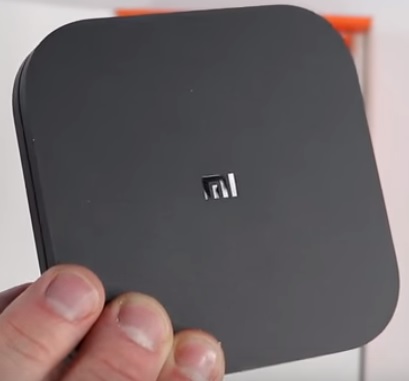
The Xiaomi TV Box S is a low-cost Google certified box, and the 3rd generation is the current model.
It has a quad core processor, 2GB Ram, 32GB storage, WiFi 6, and HDMI 2.1, along with 4K, Dolby Vision, Dolby Atmos, and DTS:X.
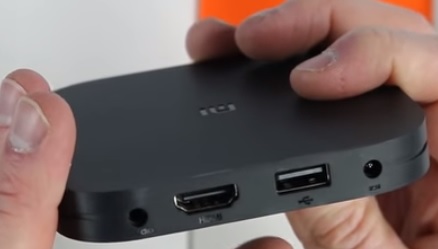
The hardware doesn’t compare to the Shield or the Onn box, and there is still no Ethernet port with it only working over WiFi, which it does very well with the built-in WiFi 6.
It is a good option for those who don’t want a box tied to one of the big box companies.
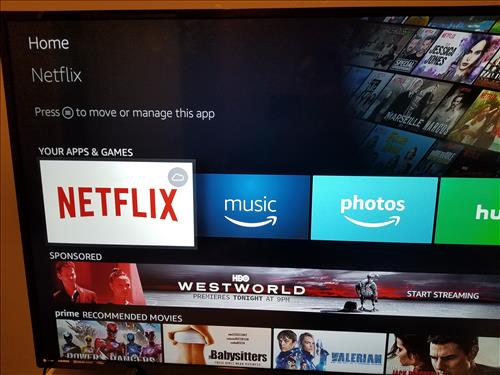
The Amazon Fire TV Stick is a good unit for those looking for a low-cost way to stream Netflix.
It is a small stick that plugs into the HDMI port on a TV and after a short setup is ready to stream.
It comes with WiFi 6E on the 4K Max, making it a good unit to stream wirelessly, along with 4K, Dolby Vision, and Alexa built in.
There is one big thing to be aware of with Fire TV in 2026.
Amazon has started replacing Fire OS with its own Linux based Vega OS, which is not Android at all.
The Fire TV Stick 4K Select and the newer Fire TV Stick HD already run Vega OS, and Amazon has confirmed all future sticks will use it. Those units cannot sideload apps.
If you want a Fire stick that is still Android based, that means the Fire TV Stick 4K Plus or the Fire TV Stick 4K Max, which Amazon says will keep getting updates through 2030.
Netflix itself runs fine on either one, so this only matters if you plan on installing anything outside the Amazon app store.
A Word on Cheap No-Name Boxes
Amazon and eBay are full of low-cost boxes advertising 4K and 8K playback for $30 or less.
Almost all of them are Widevine L3 only, are not Google certified, and are not on the Netflix certified device list.
They will often play Netflix, but at a low resolution no matter what plan you are on, and some will not run the official Netflix app at all.
The specs on the listing have nothing to do with it, since this is a licensing issue and not a hardware issue.
If Netflix is the main reason for buying a box, stick to a certified unit.
Summary
Finding an Android TV box that will run Netflix is easy to do, since most boxes will play something.
Getting the full 1080p or 4K stream is harder, with the box needing to be non-rooted, Widevine L1, Google certified, and on the Netflix approved list for 4K.
Keep in mind that a lot of older content is not in HD and will only play at a lower resolution, no matter which box is used.
Also, unless you have the Premium plan, the content will not play in 4K, no matter which box is used.
If in doubt, stick to one of the boxes above, as they are known units that stream Netflix content with no problems.
All run with Netflix 4K and 60fps?
Is this thru Amazon
I’d rather run a rooted device without Netflix and have Android TV and using an APK or Kodi . F** Netflix and their root restrictions!
I’m currently using the Nvidia Shield TV and it’s great!
my nexflix dont work on my nvidia shield pro for some reason
Hello does anyone knows if I can get 5.1 dolby digital (or DTS ) sound out from the Xiaomi mi box S ? Thank you
If you have the basic and mid tier plan than 1080p is fine but if you have the 4 device plan than you probably want a box that can go up to 4k. Mi box is capable of this on paper but i keep hearing that 4k has very serious performance issues.
Hello, I have Xiaomi mi box s. Playing 4k perfect, Netflix, Youtube or from smartphone via Chromecast.