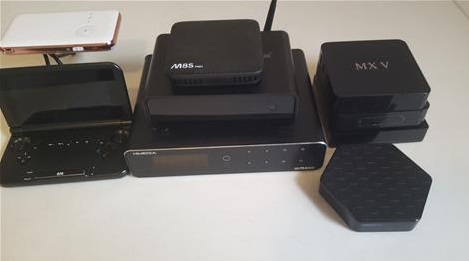
- Android TV Box CPUs (SoC) (Obsolete – Low – Mid – High Range)
- Best Kodi Media Center Android TV Boxes ALL
- Best High-End Boxes
- Best Mid-Range Boxes
- Best Budget Boxes
Kodi has become the go-to streaming media center for everyone from cable cutters, to anyone wanting a great media experience.
The basic requirements to run Kodi have increased over the years with many older Android CPUs (SoC) too slow to work well. The S905X3 processor, it is currently the minimum recommended.
Basic Android TV Box Requirements to Run Kodi
- OS: Android 5.0 (Lollipop) or later
- CPU (SoC): Quad-core ARM or better (Amlogic S905X3 or higher recommended)
- RAM: Minimum 2 GB (3–4 GB preferred for 4K streaming)
- GPU: OpenGL ES 2.0 compatible
- Storage: 200 MB + space for media and add-ons
- Internet: Stable Wi-Fi or Ethernet connection
Of course, Kodi can be installed and used on slower machines but it becomes laggy.
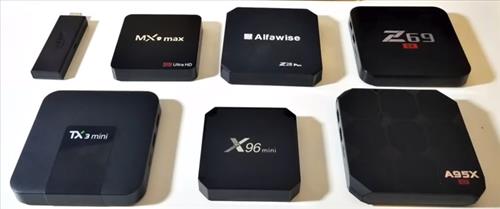
When it comes to Kodi boxes there are many to choose from and can vary wildly in hardware.
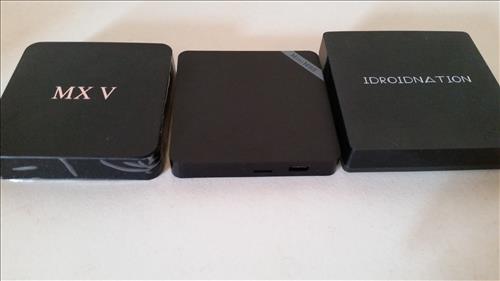
As listed above they should have at least the basic specifications to run Kodi, but ideally faster.
The minimum hardware specification for a Kodi Android tv box in 2026 should be at least 2GB RAM and an S905X3 or higher CPU (SoC).
Android TV Box CPUs (SoC) 2026
| Tier | Example SoCs / CPU | Use Case |
|---|---|---|
| Obsolete / Low-Range | Allwinner H618, Rockchip RK3318, S905 | Basic streaming, 1080p/entry-level 4K playback, budget devices |
| Mid-Range | Amlogic S905X3, Amlogic S905X4, Amlogic S905Y4 | Reliable 4K streaming, HDR support, responsive UI, light gaming |
| High-Range / Future-Proof | Amlogic S905X5 / S905X5M, Realtek RTD1325 | Premium 4K/8K playback, AV1 & H.266 support, AI upscaling, long-term performance |
These are the most common processor’s Android TV boxes currently use and what to look for in 2026.
Keep in mind some processors will be better at a certain tasks even if they score lower in certain benchmarks.
After being sent boxes to review for the last few years here is our picks for the best options. The units come in all shapes sizes and price ranges.
In full disclosure some of these boxes have been sent to us from companies to review which we have done with our own honest opinion and results.
As always be sure to read reviews on Amazon, here, or elsewhere to be sure a unit is the right pick for you.
*This site contains affiliate links for which a commission earned.
Our Picks For Best Android TV Boxes To Run Kodi Media Center 2026
… Best High-End Boxes
- Ugoos SK2
- MECOOL KM9PRO MAX
- ONN 4K Pro
- MECOOL KM6
- Nvidia Shield
- HK1 Android TV Box

Antutu Benchmark Score 210,000 points
The Ugoos SK2 is a compact, Google TV certified streaming box designed for 4K HDR videos. It runs on Android TV/Google TV 12 and is powered by the Realtek RTD1325 quad‑core Cortex‑A55 processor, paired with 4 GB of RAM and 32 GB of internal storage.

On the media side, it supports 4K at up to 60fps, with HDR10+, Dolby Vision, HLG, and AV1 decoding—all of which make it well‑suited for premium streaming and home‑cinema use.
It also has WiFi 6, Bluetooth 5.2, HDMI 2.1a output, and USB ports. That said, the wired Ethernet interface is limited to 100 Mbps, which may restrict high‑bitrate local media streaming over a network.
Downsides include the lack of micro‑SD card expansion, inconsistent support for certain high‑end audio passthrough formats (especially in non‑Kodi contexts), and Netflix 4K status.

Antutu Benchmark Score 119,000 points
The MECOOL KM9 PRO MAX gives a very nice streaming experience in a compact, affordable form. It uses the Realtek RTD1325 quad‑core CPU (SoC) paired with a Mali‑G57 GPU, and has 2GB of RAM with 32GB of internal storage.

It also uses Google TV on Android 12, it comes Google‑certified with Widevine L1 support, meaning you’ll be able to stream Netflix, Disney+ and Prime Video in 4K where available.
The video on the box supports AV1 hardware decoding and HDR formats like HDR10, HDR10+ and HLG, and features an HDMI 2.1 output for 4K@60fps playback.
However, while it packs solid streaming chops, a few trade‑offs stand out: the wired LAN connection is limited to 100 Mbps, which may throttle multi‑device or high‑bitrate file streaming; Dolby Vision support is absent; and the modest 2GB of RAM can lead to occasional stutters when multitasking.
In short: if you’re looking for a reliable Android TV box under the $80 range that handles certified 4K streaming and modern codecs, the KM9 PRO MAX is a strong choice. But if you want heavy local media playback, gigabit Ethernet, or performance for gaming and multitasking, you may need to look a bit higher.
… Best Mid-Range Boxes

Antutu Benchmark Score 101,519
The ONN 4K Pro is the newest version of the ONN Android TV boxes with 3GB of RAM and 32GB of onboard storage and Amlogic S905X4 CPU (SoC).
It can function as a Google TV hub with an integrated smart speaker for hands-free Google Assistant commands.
It also has smooth 4K UHD playback and supports modern standards like Dolby Vision and Dolby Atmos.
The unit also has built-in WiFi-6, an Ethernet port, and a USB 3.0 port for expanding storage or connecting peripherals.
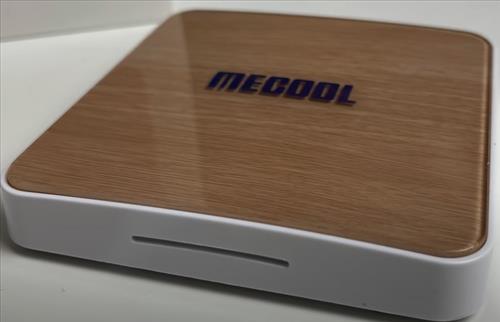
Antutu Benchmark Score 101529
The MECOOL KM6 is an Android TV box that has the S905X4 CPU (SoC) and 4GB of RAM.
Many Android TV box owners are familiar with the original S905 processor with the S905X4 a big improvement faster and better.
It also has dual band WiFi-6, USB 3.0, Bluetooth 5.0, and 64GB of internal storage.
While testing it played 4K videos @60 FPS and did well at basic game play.
The WiFi tested at 71Mbps download speed which while not the best is good enough for the minimum 25Mbps 4K video requires to stream.
The MECOOL KM6 is good for basic game play along with watching 4K videos and is a good mid range media player for 2025.
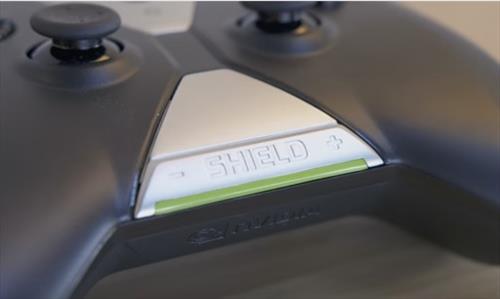
Antutu Benchmark Score 130766
The Nvidia Shield is an older option that still works very well and is very popular Kodi Android TV box that has many nice features.
It has an Nvidia Tegra X1 processor, 3GB Ram, 802.11ac WiFi, and USB 3.0.
Two versions can be bought 16GB and 500GB that give more internal hard drive space. Most Kodi boxes don’t give this option and have limited internal space. If you have a large video library you want to store and play a 500 GB hard drive version can be bought.
There is a newer version of the Shield that has improvements over the older version.
While more costly than other options it is a nice box to run Kodi on.
… Best Budget Boxes
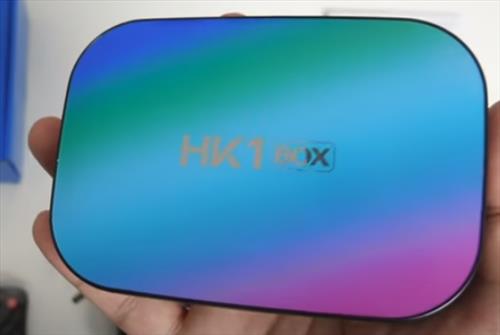
Antutu Benchmark Score 72207
The HK1 Android TV Box is a low-cost media center built to stream 4K videos at 60fps along with basic game-play.
It has a S905X3 CPU (SoC) which is a good processor for budget media players in 2025.
It also has 4GB of RAM and 128GB of internal storage space.
This makes it a good unit for those looking for a low-cost media center box that can play 4K video.
-
Summary
Kodi TV boxes have changed a lot in the last few years going from 1GB of RAM to 4GB of RAM or more.
A box with 2GB of RAM will still run Kodi but is not ideal for future updates and cost about the same for a box with 3-4GB of RAM.
The processors have also changed with new units using the S905X4 or higher the best option.
Many of the older boxes are still sold so be wary of these older boxes, especially since the new ones cost almost the same.
A lot of the lower-end cheap boxes run Kodi well enough but often require some technicality.
For example, during a major update there will be almost no support, if any.
With that said and having reviewed many units they do work and continue to work. I know people who bought a cheap box 2-3 years ago and continue to use it daily.
Just keep in mind if a low-cost box has a problem you will need to get a bit technical. There are lots of YouTube videos and tutorials that can help.
When buying a Kodi box read the reviews on Amazon to be sure it meets your technical ability.
While any of these boxes will run Kodi they often come with some degree of setup that may not be for everyone.
Why no box recommendations for S905X5 / S905X5M?
no talk on profile 7 or level discussion
hmmmmmm
Is Kodi and its addons already installed on the Nvidia Shield box
One urgent criteria you may have forgotten to mention is the “HDMI passthrough” capability. Many boxes produce an anoying sound if you try to push DTS or higher to your AV-receiver.
It would be really nice to take this criteria into the testing.
I Bought the HK1 S905X3 and love it would buy again
Next time any of us are you that might come in handy. thanks?
Great insights on the best Android TV boxes for Kodi! I appreciate the detailed breakdown of features and performance. It’s helped me narrow down my options. Looking forward to trying out the top picks!
Any ideas what to buy i currently have an Amazon firestick i think second generation and it laggs a lot freezes when playing videos ….i downloaded Kodi to my phone have no problems playing from galaxy i think my firestick hardware is too old but now with all these options dont know what to buy. I just want something to stream movies without the freezing and lagg please help
something: web interface for TorBox.app has a transcoding-player for anything
CAN someone explain to this Octageneran. I have a Global media android box which was sold to me by a Streaming provide who charges me &15 a month to be able to access BBC TV in the UK,& USA, ITV, Sports ie cricket, Rugby etc and lots of Asian Channels which I don’t watch.
If I purchased a Newer Monster Box or Tanggula Box, do they come with the 1000 Channels and would I have to pay to access these channels? Is there a Website to Locate which Box provides access to which countries channel?
you should have log in password and url for the app on your device, any box will work you just need the information to log in and download the app to use their service.
Its not the box but the streaming service that provides the content. You can load an app from any of the providers on almost any Android TV box from the Goggle Play Store. Researching which streaming providers is best for what you want to watch is the hard part since there are many. Here is a list of the best free options.
No. The boxes are flashed by local or national piracy resellers — bundling your subscription.
Nice article. Is it possible to create a server that can connect to each TV in my house either by Ethernet cord or wireless allowing my family to watch their own KODI or surf internet. If so, please let me know hardware needed and how it works together.
Thanks
Shannon
Hi Shannon,
If you have ‘Media Center” installed (or Kodi) use the DLNA or Airplay (for Apple/I-devices) functions. In Media Center simply open app & choices are immediately visible – in Kodi go into Settings then to Service Settings. Scroll to UPnP/DLNA (in Kodi scroll to bottom & select Expert).
In Kodi go to UPnP/DLNA & turn on all items in list (subtitles are optional, they will use a lot of storage space so I leave that one off).
Select whether unit will be player or renderer. The unit that will act as server/host should be the one where the media is stored. The other unit will be players.
All devices must be on same network.
I personally use PC for server/host. Installed all media to my PC then go to any device (that has been configured) go into UPnP/DLNA select PC & begin playing media from PC as if it was installed on every device.
If using tv box as server/host you will need external HDD to store media. TV box should be powerful with good hardware specs. You could also connect HDD to router & select router as server/host (requires extras config). Then there is PLEX an all in one web-based app. Plenty of video to walk you thru the steps above.
Hope it helps
yes. Jellyfin + ZFS